Maya AI assistant
Maya is the Door AI assistant in the console at https://door.cloud. You manage DKS clusters by chatting in your organization context. Maya uses your Door role: a member can only read; super_admin can change clusters.
Who can do this: any signed-in user who can open the console. Mutations still require super_admin on the organization.
Do not paste API tokens into chat. Maya uses your session.
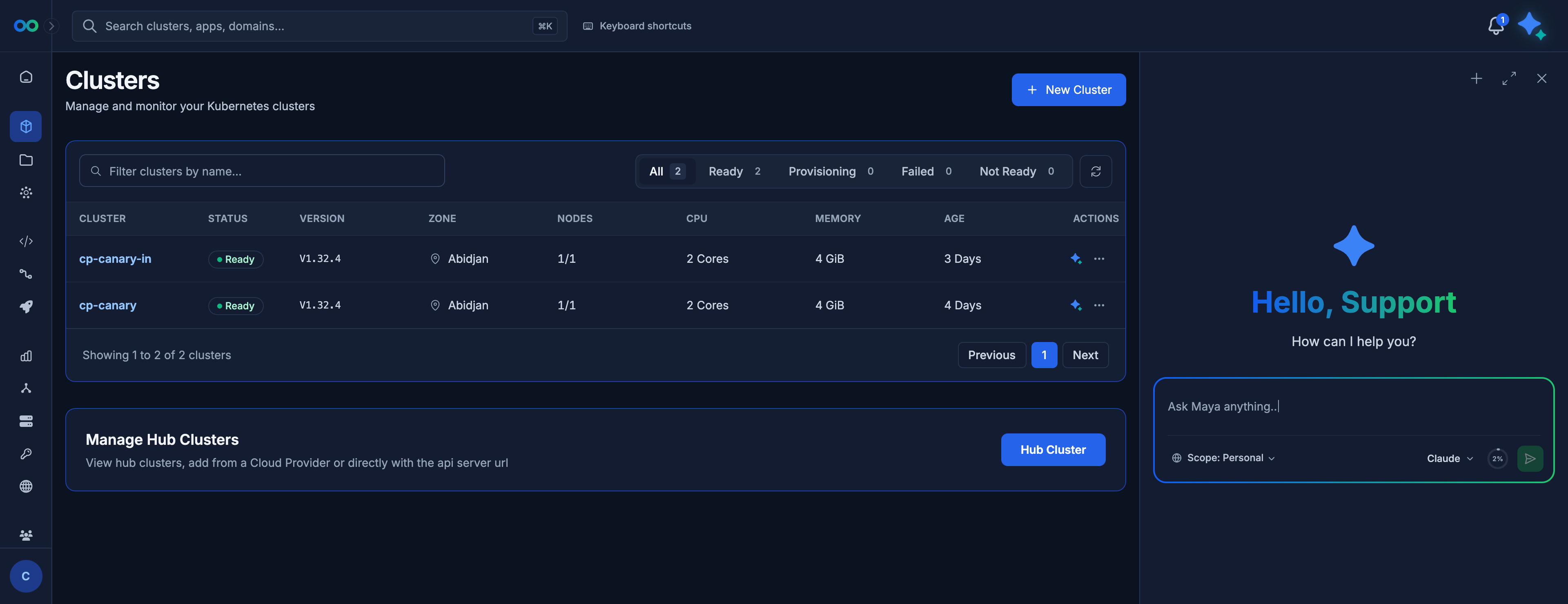
Maya open on the Clusters page in the demo organization. The sparkle button at the top right opens and closes the panel.
Open Maya with the sparkle button at the top right. The panel keeps the console page beside the chat. Maya acts in the organization currently selected in the console, so check the organization before you ask.
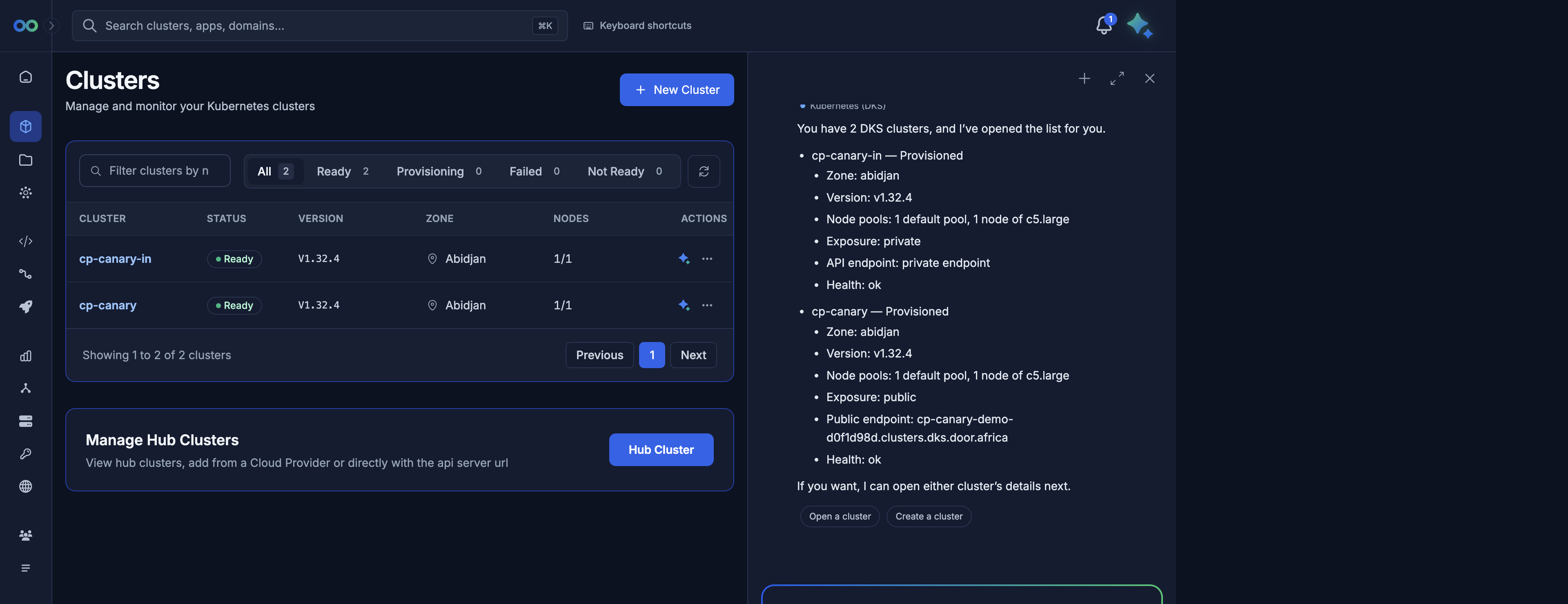
Maya answering "List my clusters" in the demo organization. Suggested follow-ups such as Open a cluster and Create a cluster appear under the answer.
What you can ask
Natural-language requests Maya can carry out (same rules and roles as the console):
| You might say | What Maya does |
|---|---|
| "List my clusters" | Lists clusters in the current organization |
| "Describe payments-prod" / "What phase is cluster …?" | Cluster detail, including the current setup step |
| "What Kubernetes versions and machine tiers can I use in abidjan?" | Reads the catalog for that zone |
| "Create a small cluster named payments-prod in abidjan" | Starts create after you confirm (see below) |
| "Add a node pool named workers on dks.c5.xlarge with 2 nodes" | Adds a pool after you confirm |
| "Scale the workers pool to 3" | Changes pool count after you confirm |
| "Switch the API of payments-prod to private" | Changes exposure |
| "Get the kubeconfig for payments-prod" | Fetches kubeconfig once the status is Control plane ready or Ready |
| "List Elastic IPs on payments-prod" | Lists each address with its name and status |
| "How is provisioning going?" | Follows create/delete progress |
| "Set tags on payments-prod to prod, payments" | Updates tags / description |
Maya cannot allocate or release Elastic IPs, create firewall rules, change the cluster name, change an existing pool's machine tier, or change application reachability after create. Add addresses on the Networking tab. Open ports from the API reference.
Approval before a change
For create, delete, and scale (node-pool size), Maya pauses and the console shows a confirmation card. The card repeats a short description of the proposed change (cluster name, pool, counts). This is the confirmed approval step.
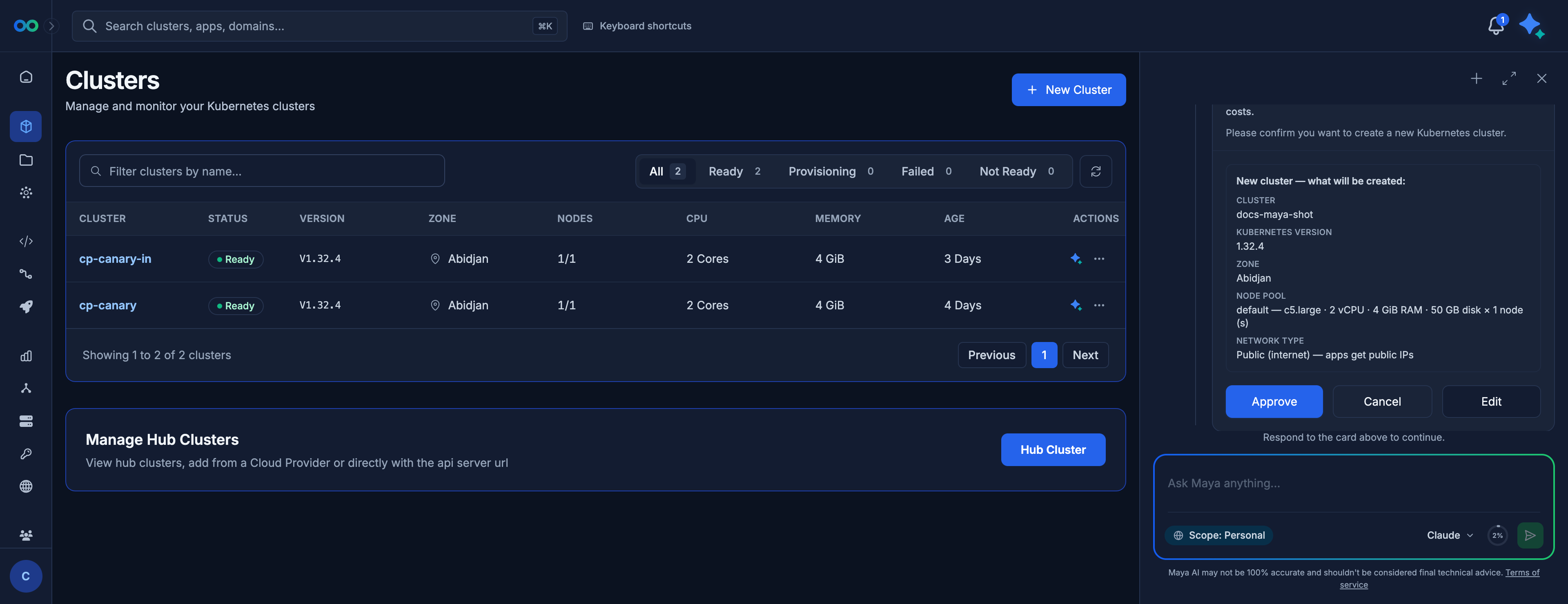
Confirmation card in the demo organization: cluster docs-maya-shot, Kubernetes 1.32.4, Abidjan, one pool default of one c5.large node, network type Public (internet) — apps get public IPs. Nothing is created until you click Approve.
Read the Network type line before you approve. It is where your applications are reachable and cannot be changed after create. Click Edit if it is not what you want.
- Approve — Maya sends the request. The Clusters list shows the cluster as Provisioning (or Deleting), and the progress steps start.
- Cancel / reject — nothing is applied.
- Edit — change the request before Maya sends it.
If you walk away without approving, the run stays paused. That is expected.
List, describe, catalog, kubeconfig, and Elastic IP list never pause. Maya still cannot exceed your role: a member who asks to create, scale, or delete is refused. Ask a super_admin.
How progress is reported
After you approve, Maya confirms the request was accepted and reports the same step titles as the provisioning screen while the cluster is created. The quickest way to watch is still the cluster's provisioning screen.
The titles match the provisioning screen:
- Request received
- Validating configuration
- Creating infrastructure
- Control plane ready / Worker nodes ready
- Cluster ready
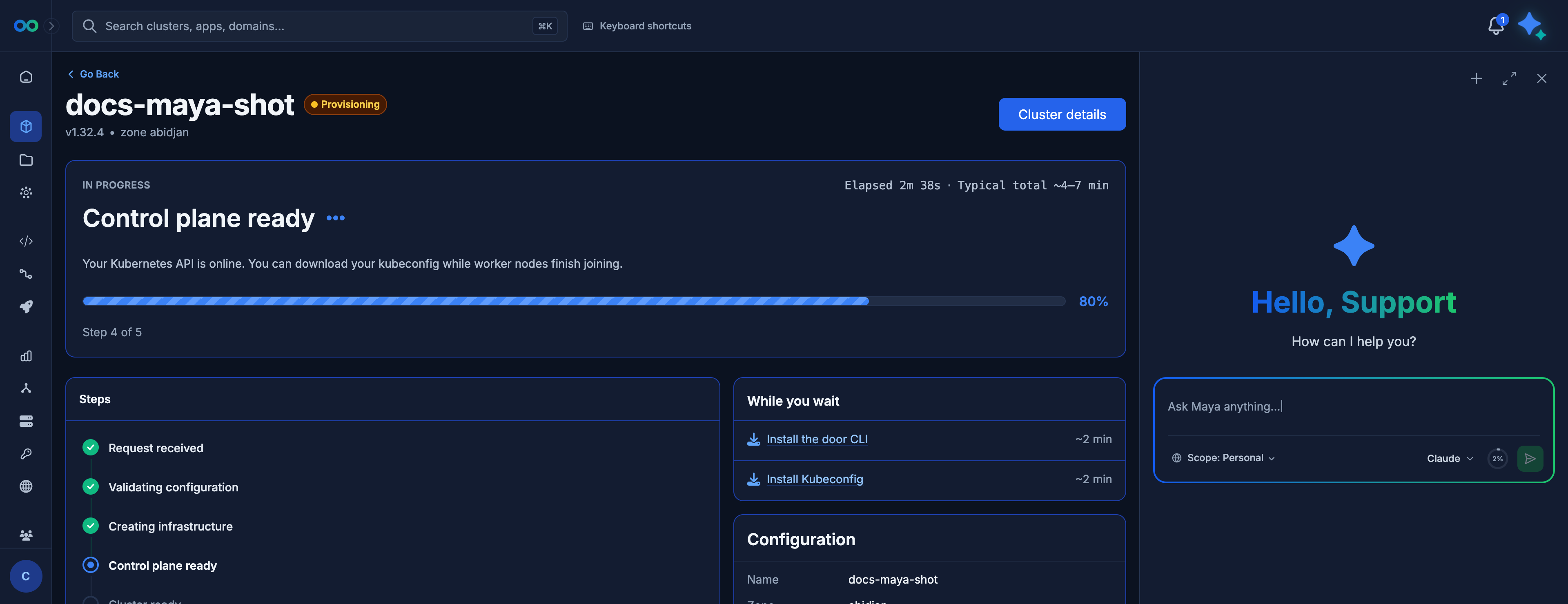
Provisioning screen for docs-maya-shot, created from Maya, at step 4 of 5 (Control plane ready). The Maya panel stays open on the right for your next question. Maya's own progress message is not in this picture.
Example conversations
List (read)
You: List the clusters in acme.
Maya: Shows names, zones, phases. No confirmation card.
Create (confirm, then progress)
You: Create a cluster named payments-prod in abidjan, Kubernetes v1.32.4, one pool workers on dks.c5.xlarge, two nodes, private API.
Maya: Shows a confirmation card describing the create.
You: Approve.
Maya: The same step titles as the provisioning screen until Cluster ready.
Scale (confirm)
You: Scale the workers pool on payments-prod to 4 nodes.
Maya: Confirmation card with the new count.
You: Approve.
Maya: Reports when the pool update has been accepted; nodes appear on the Nodes tab as they join.
Exposure
You: Make the Kubernetes API of payments-prod public.
Maya: Requests the exposure change. Download kubeconfig again from Access when the Access tab shows the hostname.
Kubeconfig
You: Give me kubeconfig for payments-prod.
Maya: Returns or describes how to save the file once the status is Control plane ready or Ready. A first request may need a short wait.
Follow provisioning
You: Is payments-prod ready yet?
Maya: Uses the same step title and message as the provisioning screen (for example Creating infrastructure / Setting up networking and compute for your cluster.).
List Elastic IPs (read)
You: What Elastic IPs does payments-prod have?
Maya: Lists names, statuses, and addresses. No confirmation card. To allocate or release, use Networking.
Add a pool (confirm)
You: Add a pool named batch on payments-prod, tier dks.c5.large, two nodes.
Maya: Requests the pool. The Nodes tab fills in as workers join.
Member
You (member): Delete payments-prod.
Maya: Cannot; your role is read-only on DKS. Ask asuper_admin.
Failed create
You: Why did payments-prod fail?
Maya: Repeats the failure message from the cluster (the same customer copy as Overview). Next step is delete and recreate, or contact support with the cluster id.
Limits
- Maya acts in the organization selected in the console.
- Read vs write is your org role, not a separate Maya permission.
- Long create/delete is followed in the UI; you do not need to keep prompting "is it done?"
- Do not expect Maya to invent networks, machine types, or zones that the create wizard does not offer.
- A create or scale refused for credit, or an address refused for capacity, is the same refusal you would see in the console — contact your Door account team.
- Maya only does what the console can do.
- Treat kubeconfig as a secret. Prefer the Access tab download if you do not want the file in the chat transcript.
- Maya follows one organization at a time (the org selected in the console). Switch org in the console, then ask again.
- Maya cannot add Internet addresses on a cluster created with Private (VPN), and cannot invent firewall networks — those requests are refused.
Next