Getting started
This walkthrough creates one cluster, waits until it is ready, runs kubectl get nodes, deploys a sample app, and deletes the cluster. Plan on about 15 minutes.
Who can do this: a super_admin creates and deletes. A member can watch progress and open access.
The screenshots are the demo organization. Use your own organization and a cluster name that is not already taken, for example payments-prod in acme.
Creating a cluster in the console
Create
- Sign in at https://door.cloud.
- Read the organization name at the left of the top bar. To switch organization, open the account menu at the bottom of the sidebar.
-
Open Clusters.
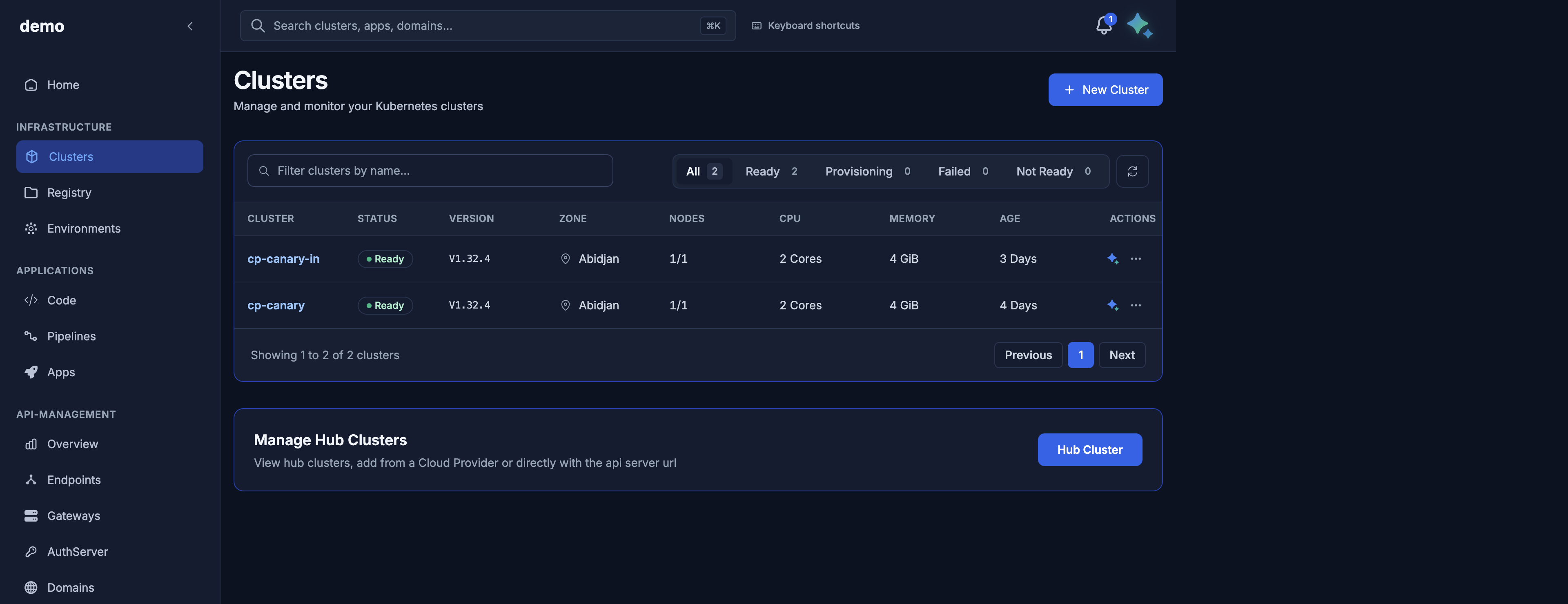
Clusters in the demo organization (
cp-canaryandcp-canary-in). Your list shows your own clusters. -
Click + New Cluster.
-
On 1. General Information, set the name to
payments-prod, the zone to Abidjan, and the Kubernetes version to 1.32.4.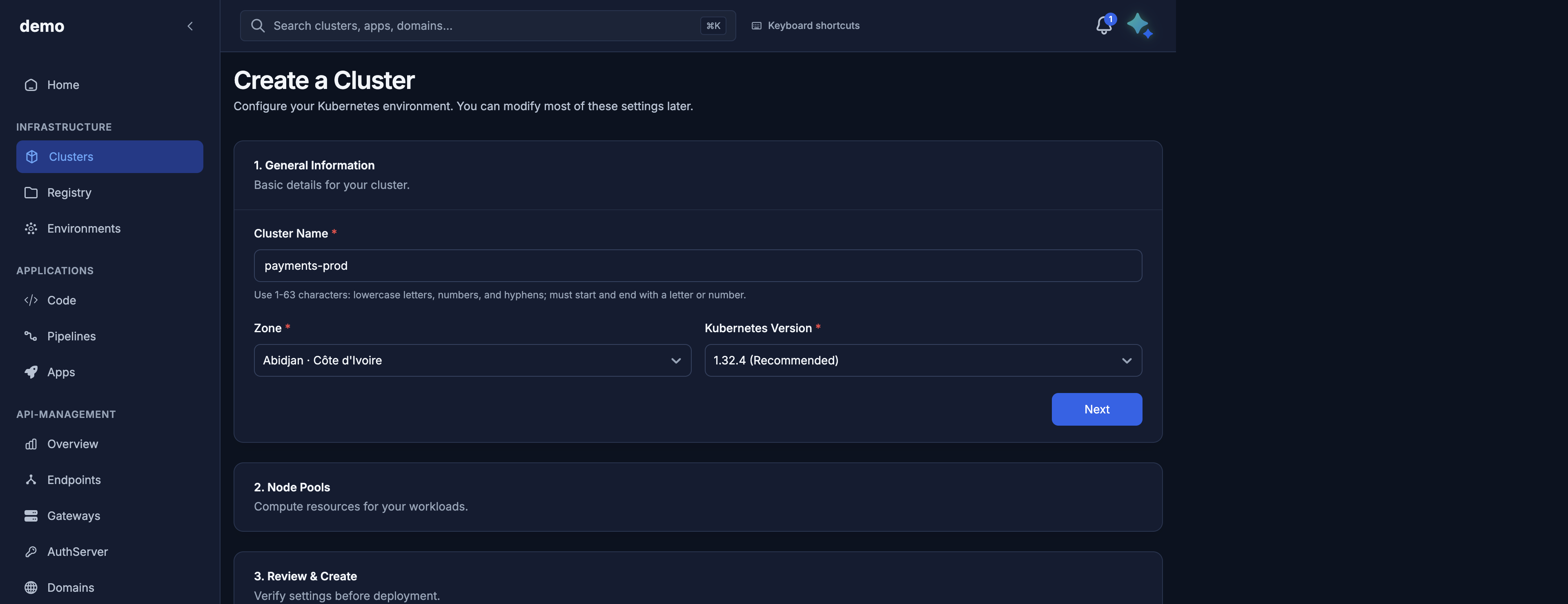
-
On 2. Node Pools, set the pool name to
workers, replicas to 2, and the machine type to c5.xlarge (marked recommended). The cards show vCPU, memory, disk, and an estimated price.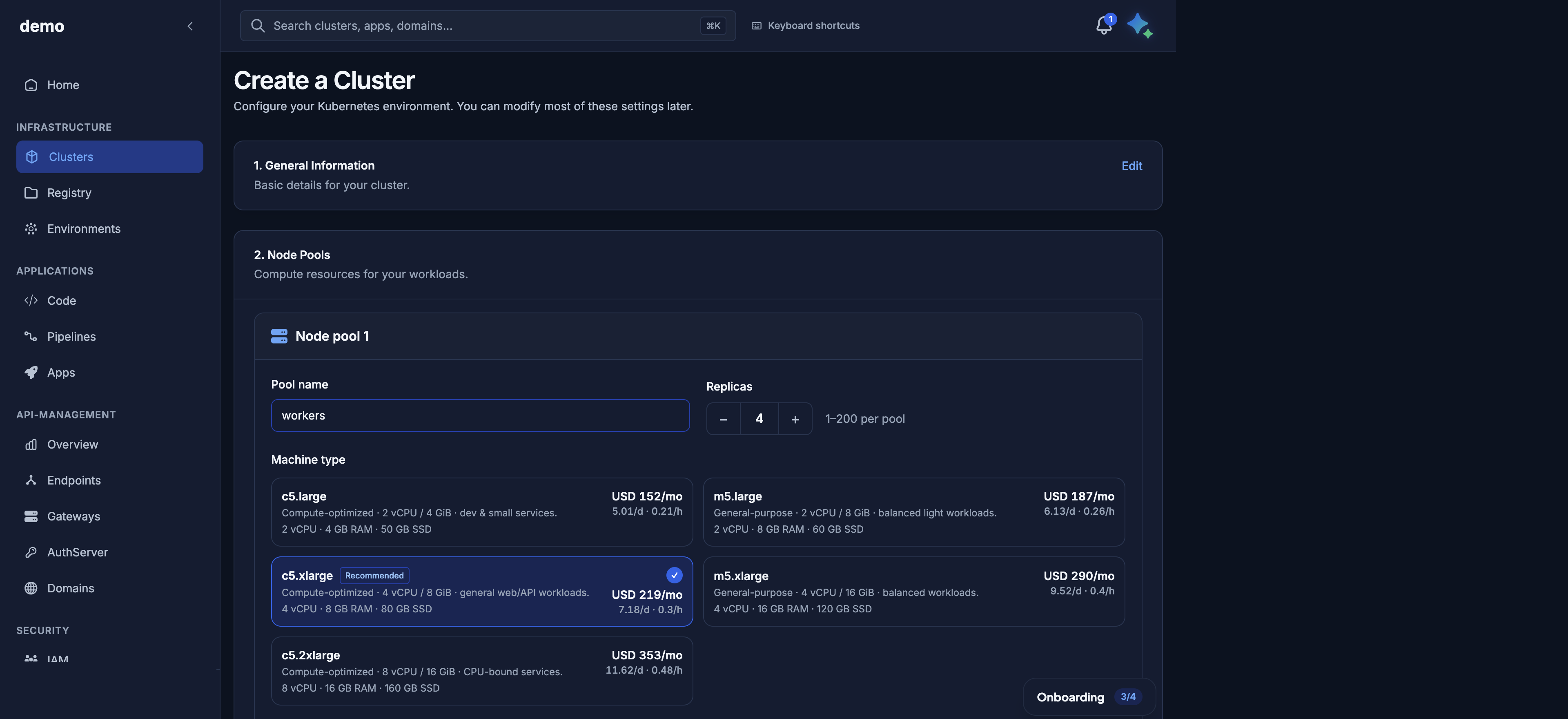
Node pools step in the demo organization. The screenshot shows 4 replicas and the prices the console displayed that day; this walkthrough uses 2. Your console shows current prices.
-
Leave the Kubernetes API on Public unless it must stay on your private network. Leave Where can your applications be reached? on Private (VPN) unless the applications need Internet addresses. That choice cannot be changed after creation. You do not pick a control plane.
- On 3. Review & Create, confirm and create.
Wait
The console stays on the provisioning screen. It walks five steps:
- Request received
- Validating configuration
- Creating infrastructure
- Control plane ready
- Cluster ready
A last line, Registering to Door hub, completes after the cluster is ready.
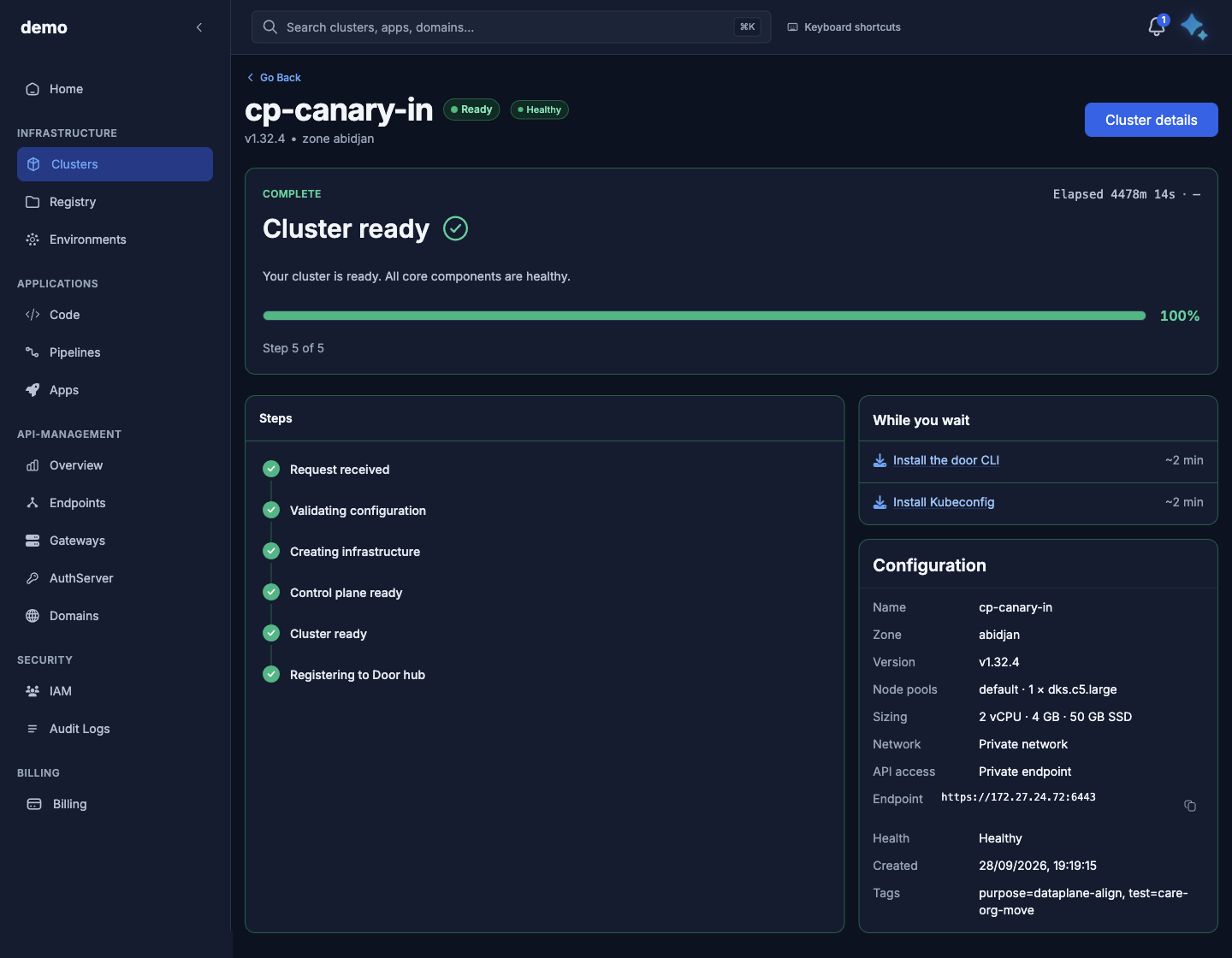
Provisioning screen in the demo organization (cluster cp-canary-in), step 5 of 5. Your cluster shows its own name, zone, and pool.
Wait on that screen. When setup finishes, the status is Ready and the bar reads Cluster ready. If it fails, the screen shows the failure message. Delete the cluster from Settings and create it again, or contact your Door account team with the cluster id.
Connect
-
Open the cluster, then Access & kubeconfig.
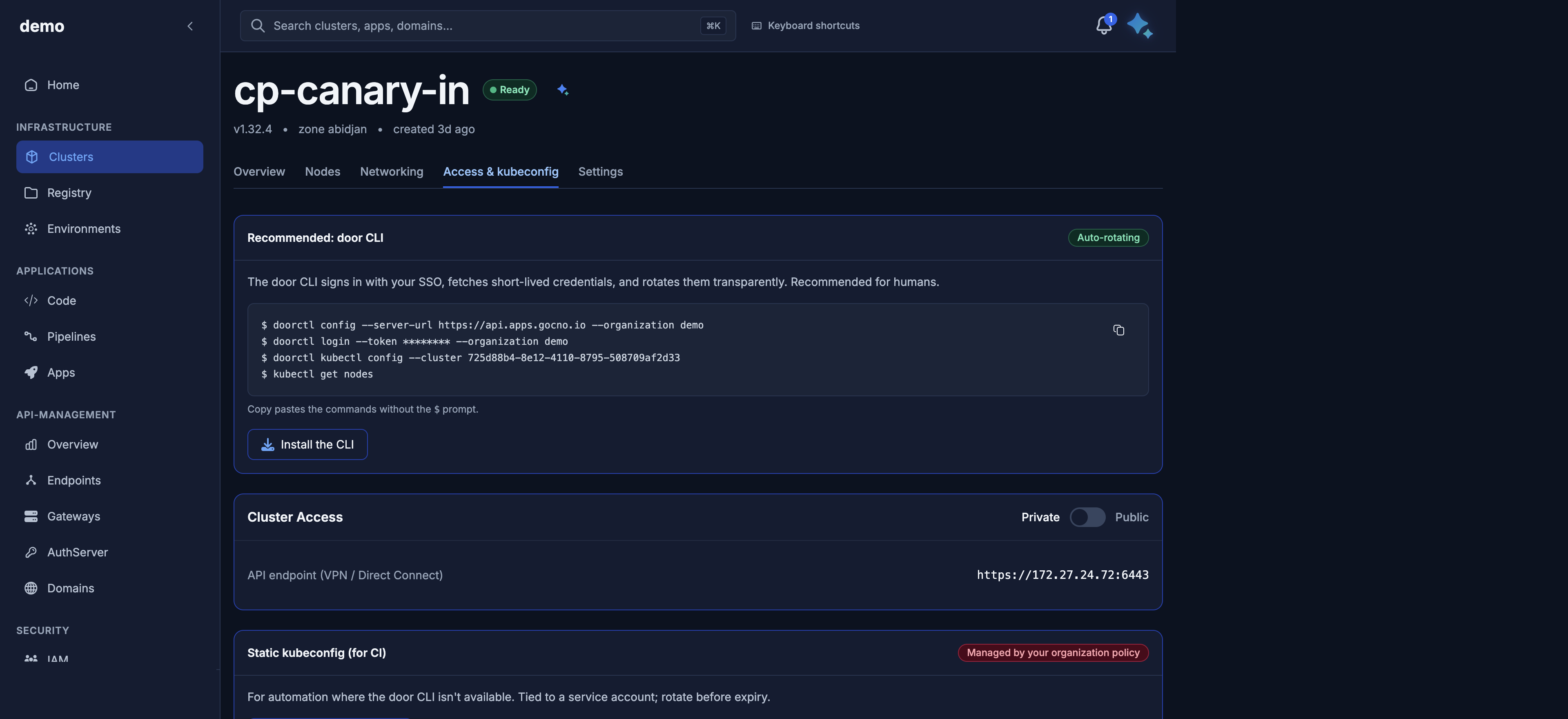
Access tab in the demo organization (cluster
cp-canary-in, Cluster Access Private). Your cluster shows its own API address. -
On Recommended: door CLI (badge Auto-rotating), install the CLI if you need it, then run the commands on the card. The card's
doorctl loginline includes a token for your organization; the block below shows the same steps with placeholders:doorctl config --server-url https://api.apps.gocno.io --organization acme doorctl login doorctl kubectl config --cluster <cluster-id> kubectl get nodesInstall notes: Install the door CLI. You should see two workers from the
workerspool, Ready.
Run a sample app
Deploy a sample app inside the cluster:
kubectl create deployment hello --image=nginx:1.27 --replicas=2
kubectl expose deployment hello --port=80 --type=ClusterIP
kubectl get pods,svc
This stays inside the cluster. Opening it on the Internet is a later step (Elastic IPs).
Delete
To remove the cluster, open Settings, then Danger zone, then Delete. Confirm the dialog.
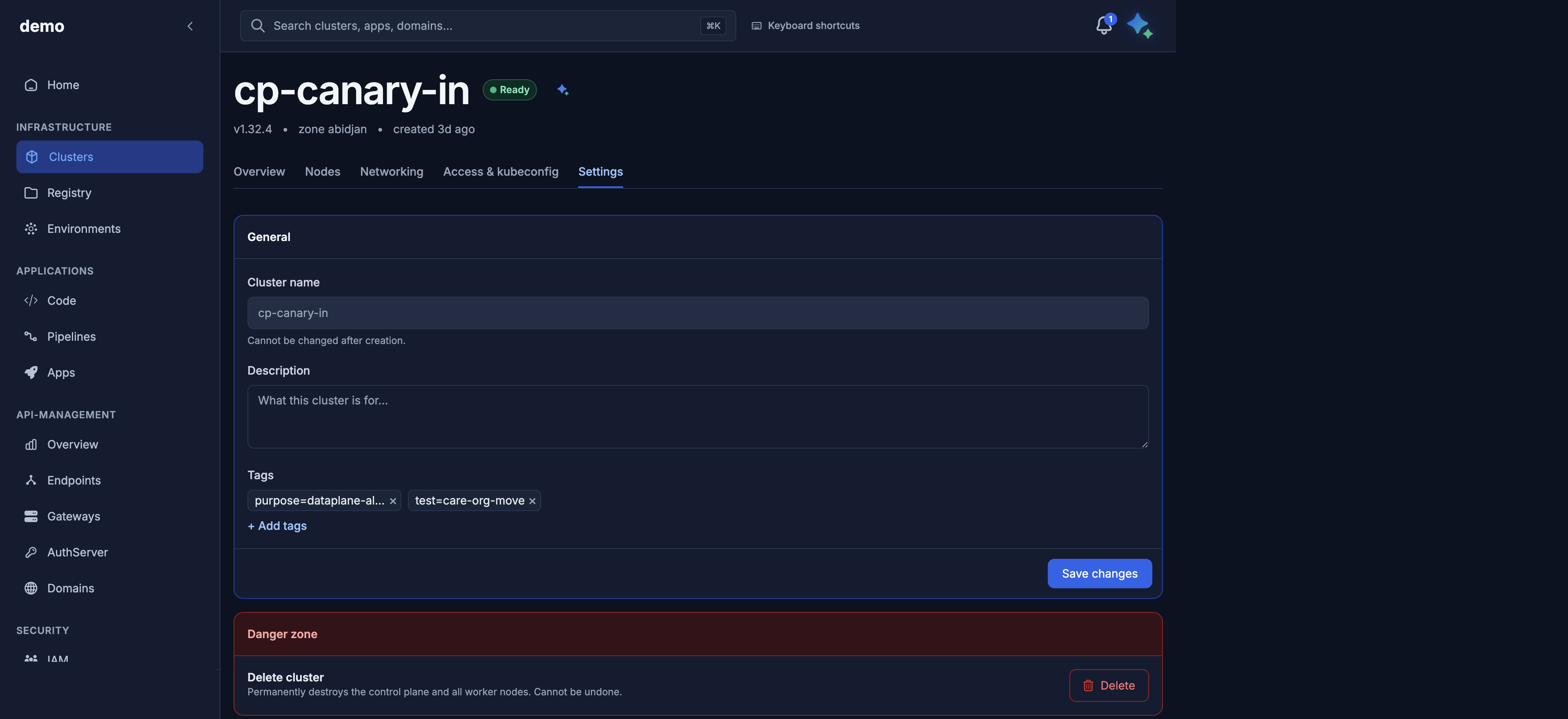
Settings in the demo organization (cluster cp-canary-in).
Deleting also removes the node pools, Elastic IPs, and firewall rules. If Door hub environments are still attached, confirm the forced delete in the dialog.
Role and credit
Create and delete need super_admin on the organization. If create is refused for credit, top up or contact your Door account team. This guide does not publish prices.
Creating a cluster with Maya
Open Maya with the sparkle button at the top right, while the organization you want is selected in the console. Do not paste tokens into the chat. Maya uses your session and your role.
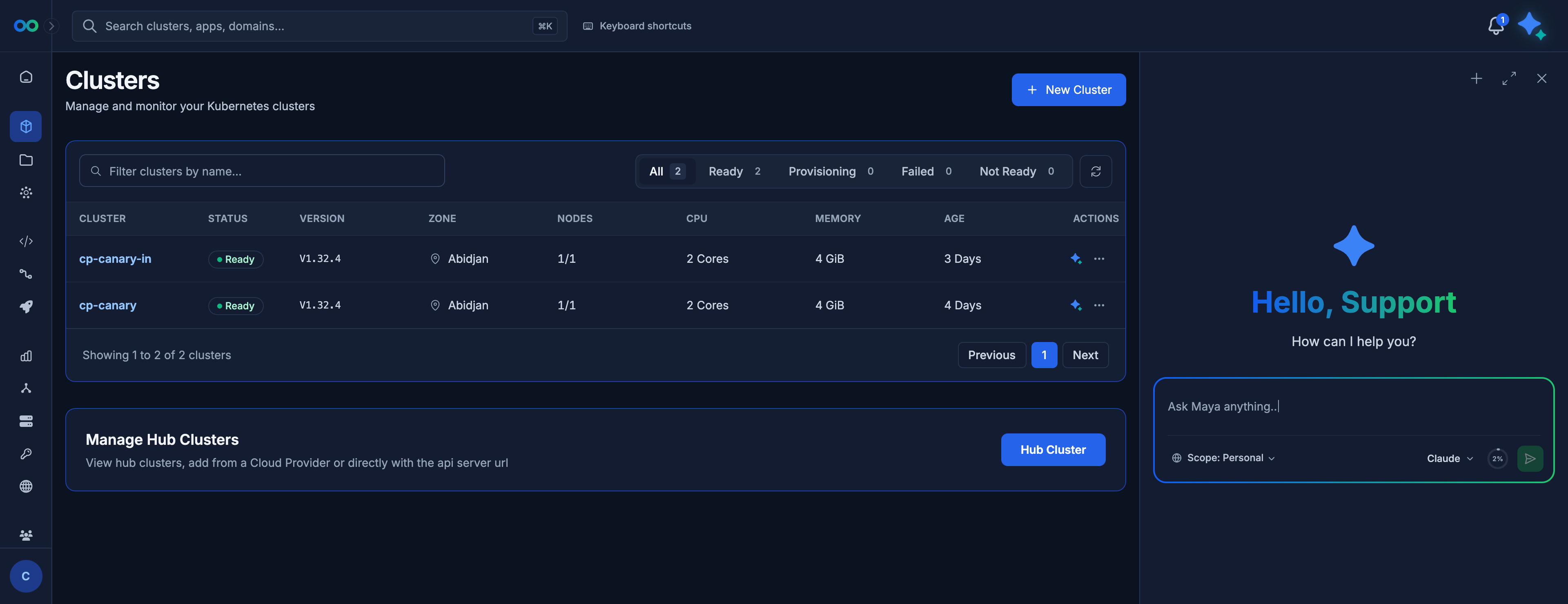
Maya open on the Clusters page in the demo organization. The console stays visible on the left while you chat.
Ask:
Create a cluster named payments-prod in Abidjan, Kubernetes 1.32.4, one pool named workers on c5.xlarge with two nodes.
Maya shows a confirmation card (name, zone, pool, counts). Approve to start. Cancel applies nothing. If you walk away, the run stays paused.
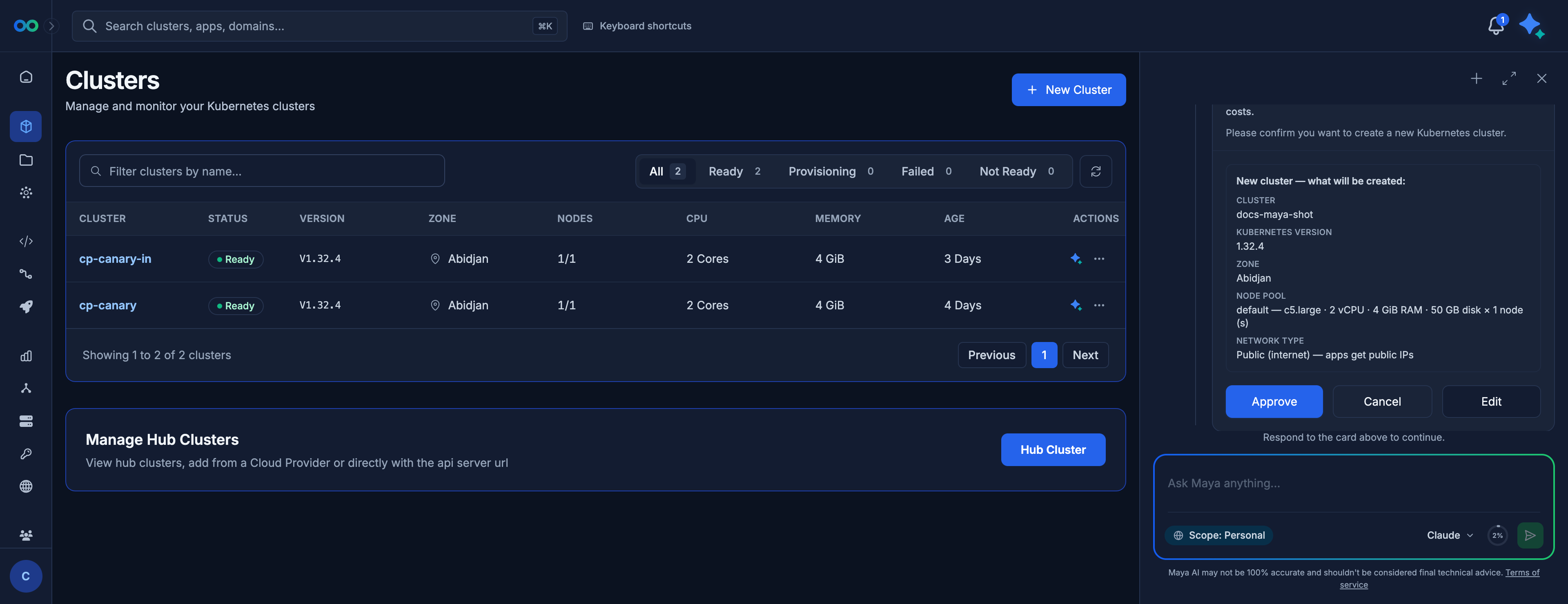
Confirmation card in the demo organization: cluster docs-maya-shot, Kubernetes 1.32.4, Abidjan, one pool default of one c5.large node, network type Public (internet) — apps get public IPs. Nothing is created until you click Approve.
Read the Network type line before you approve. It is where your applications are reachable and cannot be changed after create. Click Edit if it is not what you want.
After you approve, Maya confirms the request was accepted and reports the same step titles as the provisioning screen while the cluster is created. The quickest way to watch is still the cluster's provisioning screen.
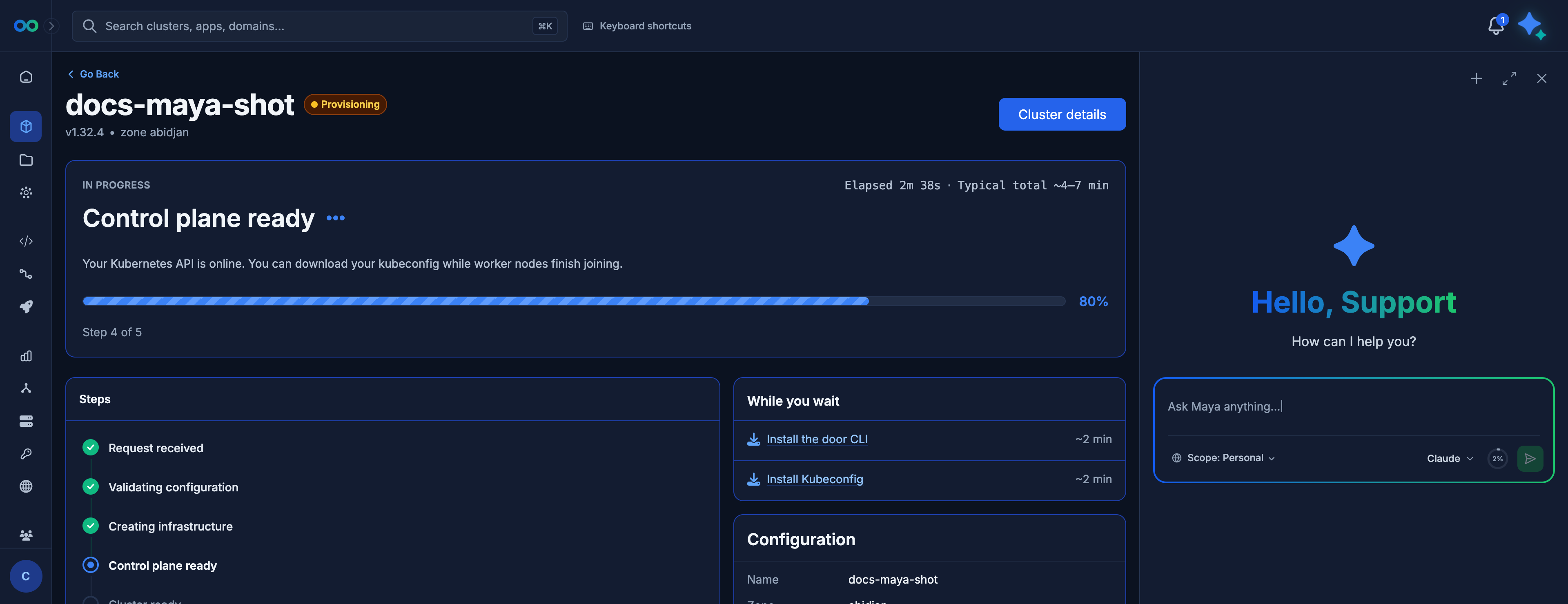
Provisioning screen for docs-maya-shot, created from Maya, at step 4 of 5 (Control plane ready). The Maya panel stays open on the right for your next question. Maya's own progress message is not in this picture.
For kubectl, use the Access & kubeconfig tab rather than asking Maya to print the file into the chat. The file is a secret.
To delete:
Delete cluster payments-prod.
Approve the confirmation card. The progress card follows the delete until the cluster is gone.
A member who asks Maya to create or delete is refused. Ask a super_admin.
Next
- Cluster lifecycle — progress, tags, and delete in more detail
- Node pools and nodes
- Kubeconfig and kubectl
Scripts for the same steps are in the API reference.