Door Kubernetes Service (DKS)
DKS gives your organization a managed Kubernetes cluster. You choose the zone, the Kubernetes version, the worker size, and how the API is reached. Door runs the control plane. You run your workloads with kubectl.
You manage a cluster yourself, from create through delete, in the Door console. Maya, the assistant in the console, can do the same steps in chat. Scripts use the API reference.
Start here
- Sign in at https://door.cloud, select the organization, and open Clusters.
- Follow Getting started: one cluster in about 15 minutes, in the console, then the same steps with Maya.
- Open Maya with the sparkle button and ask, for example, “List clusters in this organization.” See Maya.
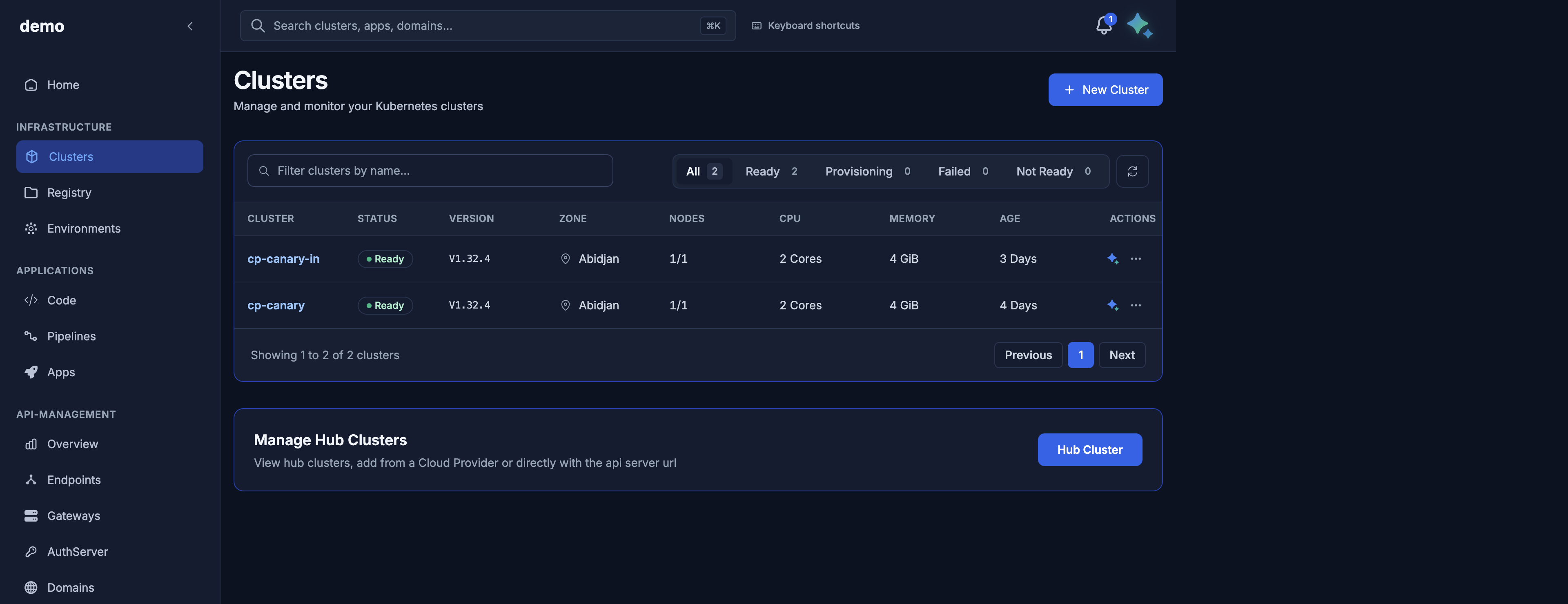
Screenshot from the demo organization (clusters cp-canary and cp-canary-in). Examples in this guide use organization acme and cluster payments-prod.
A member of the organization can read. A super_admin can create, change, and delete. See Authentication and organizations.
Guides
| Guide | What you will do |
|---|---|
| What DKS is | Concepts, lifecycle, what you manage and what Door manages |
| Getting started | Create a cluster, download access, run kubectl, delete it |
| Maya AI assistant | Ask Maya, approve changes, follow progress |
| Authentication and organizations | Sign in, choose the organization, member vs super_admin |
| Catalog, zones, versions, and machine tiers | What you can create in a zone |
| Cluster lifecycle | Create, read, follow progress, update, delete |
| Node pools and nodes | Add, scale, and remove workers |
| Kubeconfig and kubectl | door CLI (recommended) and static kubeconfig |
| API server exposure | Private (VPN) or public API hostname |
| Elastic IPs | Stable addresses for your applications |
| Firewall rules | Open ports on workers |
| Errors and troubleshooting | What the console shows when something fails, and what to do |
| Limits and constraints | Names, counts, and quotas |
| API reference | Every customer endpoint and field |
Glossary
| Term | Meaning |
|---|---|
| Organization | The Door tenant that owns your clusters. Example: acme. |
| Zone | Where the cluster runs. Today: abidjan (Abidjan, Côte d'Ivoire). |
| Cluster | One managed Kubernetes cluster. Name example: payments-prod. |
| Node pool | A group of workers that share one machine tier and a desired count. |
| Node | One worker. The name matches kubectl get nodes. |
| Machine tier | A public size id such as dks.c5.xlarge (vCPU, memory, disk). |
| Exposure | How you reach the Kubernetes API: private (your network or VPN) or public (an HTTPS hostname under clusters.dks.door.africa). |
| Network mode | How application addresses are routed: intranet (VPN) or internet. Set at create, then immutable. |
| Elastic IP | A stable address you allocate for an application on a ready cluster. |
| Firewall rule | An ingress rule on workers: protocol, ports, source networks. |
| Phase | Requested, Provisioning, ControlPlaneReady, NodesReady, Provisioned, Failed, Deleting, Deleted. The console shows Ready for Provisioned. |
| door CLI | doorctl. Recommended way to run kubectl: short-lived credentials that rotate. |
| Maya | The Door assistant. It asks you to confirm before it changes a cluster. |